"The Ultimate AI Denoise and Vocal Remover App for Mac: AudioWeaver"

Leibniz Li
@leibnizliIf you are a podcaster, video editor, or musician, you've likely faced two major audio challenges: removing background noise from a less-than-ideal recording, and separating vocals from a backing track (stem separation). While there are cloud-based services that offer these tools, they often require expensive monthly subscriptions and force you to upload your private files to the internet.
If you are searching for the best AI audio denoise app for Mac or a powerful vocal remover for Mac that works completely offline, look no further than AudioWeaver.
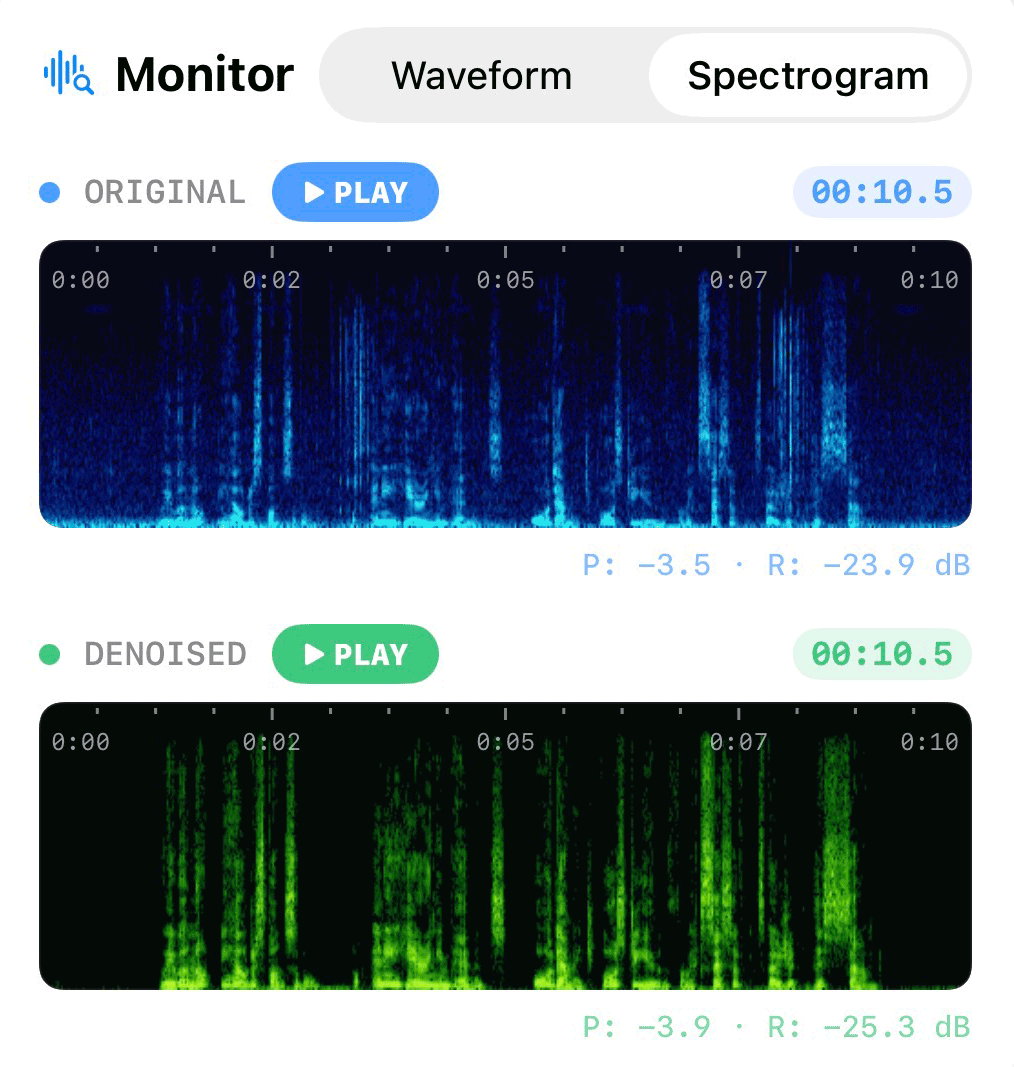
AudioWeaver is a next-generation local audio studio designed to leverage the immense power of Apple Silicon. It focuses on the two most critical tasks in modern audio processing: AI Denoising and Stem Separation.
1. Studio-Grade AI Denoising on Mac
Background noise can ruin a great podcast interview or a crucial video voiceover. AudioWeaver offers state-of-the-art AI denoising running locally on your Mac, meaning it cleans your audio securely and instantly without needing a network connection.
Whether it's humming air conditioners, traffic noise, or room echo, AudioWeaver provides two specialized AI models to handle it:
- Natural Voice (48kHz Full-Band): Perfect for high-fidelity preservation. It removes light to moderate background noise while keeping the rich, natural timbre of the speaker's voice.
- Extreme Denoise (16kHz Wideband): Ideal for salvaging audio recorded in severe noise conditions. If you need to remove background noise from audio on Mac in a worst-case scenario, this model aggressively isolates the speech.
2. Advanced Vocal and Accompaniment Separation
For musicians, karaoke enthusiasts, and remixers, finding a reliable stem separation software offline for Mac is a game-changer. AudioWeaver allows you to instantly split any audio track into distinct stems.
With a single click, you can extract crystal-clear acapellas or isolate the instrumental backing track. Because it runs locally using your Mac's Neural Engine, the separation is incredibly fast and doesn't compress your audio or subject it to cloud queue times. It is the ultimate vocal remover for Mac, giving you complete creative control over your music library.
Why Choose a Local Audio Editor?
When working with unreleased music stems, private interviews, or proprietary content, security is paramount. Most modern audio AI tools require you to upload your files to a remote server. This not only poses a privacy risk but also demands a constant internet connection and forces you into a recurring monthly fee.
AudioWeaver solves this by processing everything 100% locally. Your recordings and files never leave your device, ensuring total privacy. Plus, as a Mac audio editor with no subscription, you pay once and own the software forever.
Take Control of Your Audio
AudioWeaver proves that you don't need expensive cloud subscriptions to achieve professional-grade AI audio processing. By harnessing the local compute power of your Mac, you get privacy, speed, and the two most powerful tools in audio editing—AI Denoising and Vocal Separation—in one package.
Transform your noisy recordings and remix your favorite tracks with unprecedented ease. AudioWeaver is ready to elevate your workflow right on your desktop.