WebFont - Overview
WebFont is a local macOS utility for Text to SVG, SVG-based font building, font conversion, subsetting, glyph export, and web font package output.
WebFont is designed for practical web font production work. It can turn text into SVG outlines, build icon fonts from outlined SVG artwork, edit static TrueType-based source fonts, generate subsets, convert font formats, and package browser-ready outputs.
Core capabilities
- Text to SVG: convert words, phrases, and multi-line text into outlined SVG paths using the loaded font.
- Font Builder: create monochrome or color icon fonts and web fonts from outlined SVG glyph artwork.
- Source font editing: add SVG glyphs to a static TrueType-based source font or replace existing Unicode glyphs.
- Preflight Check: report Unicode conflicts, duplicate glyph names, empty paths, abnormal SVG sizes, metrics issues, unsupported SVG features, and overly complex glyphs.
- Project files: save and reopen
.webfontprojectpackages with embedded source font data, SVG glyphs, build settings, output options, and replacement targets. - Font conversion: convert between
TTF,OTF,WOFF, andWOFF2in single-file or batch workflows, including supported static and variable outline conversion. - Subset generation: generate smaller subsets in
TTF/OTF(original outlines),WOFF, andWOFF2from TrueType, CFF/CFF2, variable, and color fonts, including a selected TTC/OTC face. - Static font instances: use the Export panel's Variable Font section to keep all axes or bake a static instance into Font Subset and Web Package outputs.
- Web package output: generate
fonts/, CSS with@font-faceandunicode-range, anddemo.html; Font Builder packages also includemetadata.json. - Glyph asset export: export selected glyphs as
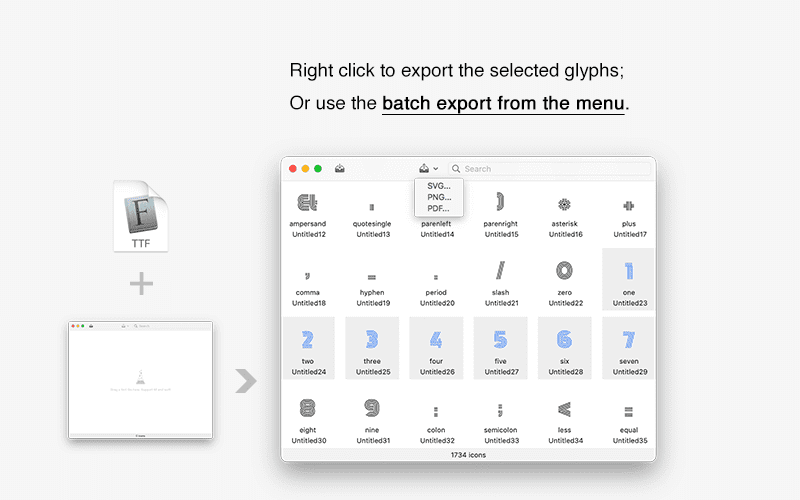
SVG,PNG, andPDF.
Processing model
- Processing runs locally on your Mac.
- No account sign-in is required.
- No cloud conversion step is required.
- WebFont writes outputs only to locations you choose.
Current boundaries
- Font Builder SVG input should be outlined static artwork, not live text, raster images, filters, masks, scripts, animation, or external resources.
- Font Builder source font editing supports static TrueType-based fonts.
- Subset generation supports one loaded source font or one selected TTC/OTC face at a time.
- Subset outputs keep the source outline type: TrueType sources produce
.ttf, CFF/CFF2 sources produce.otf, andWOFF/WOFF2remain web containers. - Text to SVG exposes every variable axis the loaded font provides and keeps supported color glyphs, but it does not create a new font or a static font instance.
Keyboard shortcuts
- Multi-select non-adjacent glyphs:
Command + Click - Range select:
Shift + Click - Preview selected glyph:
Space - Select all glyphs:
Command + A - Remove selected glyphs from current dataset:
Delete