
 LittleTTS/macOS App
Give your words
a natural voice.
High-performance text-to-speech powered by Qwen3. Convert text into natural audio—secure, private, and 100% local on your Mac.

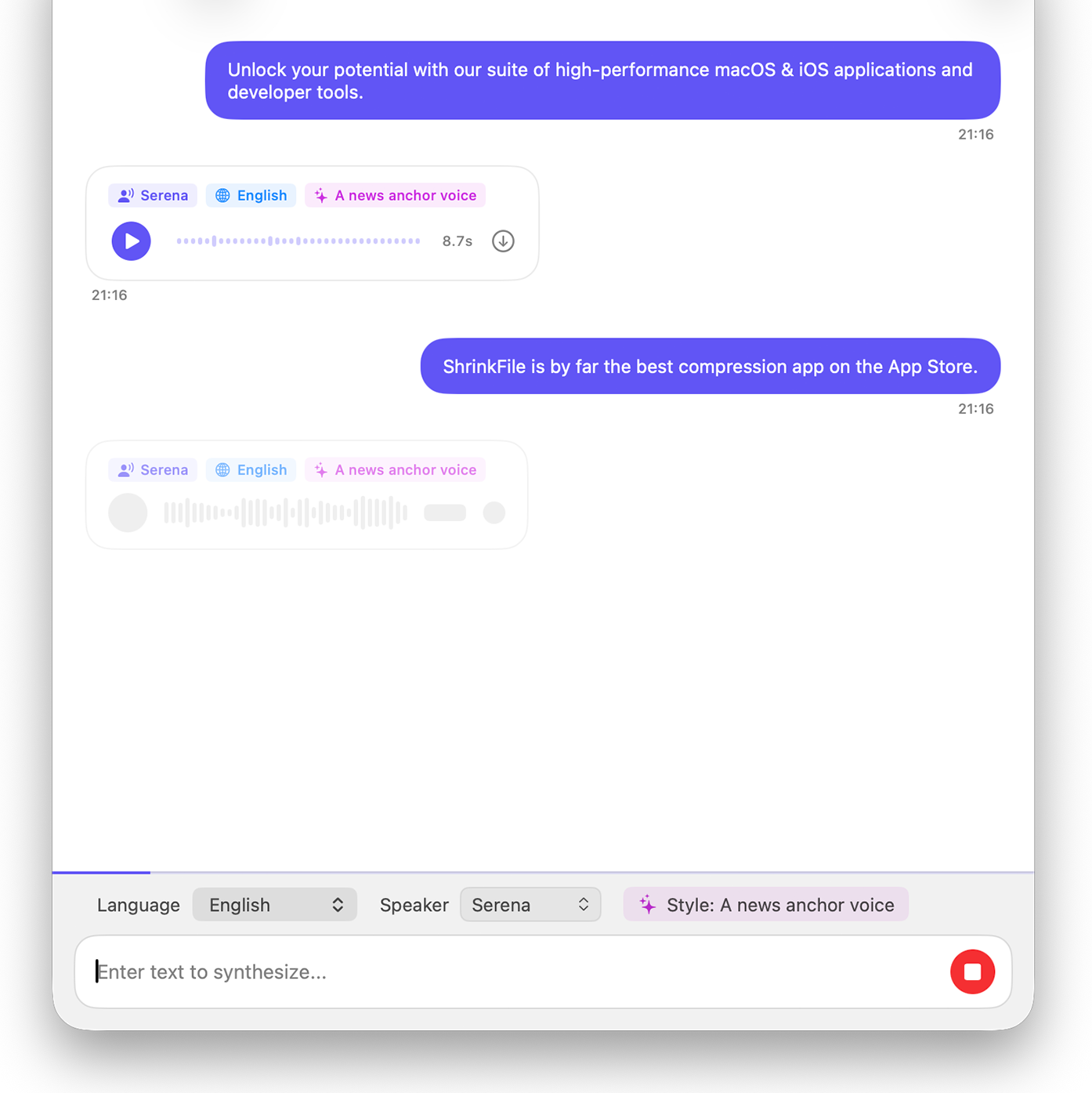
Text to Speech.
Give your words a voice.
Convert your text into highly realistic audio. Powered by state-of-the-art TTS models like Qwen3, running completely offline.
Currently supports 10 languages
English • Chinese • Japanese • Korean • German • French • Spanish • Italian • Russian • Portuguese
Multiple Voices
Choose from a diverse set of high-quality, natural-sounding AI voices.
Emotion & Style
Use prompt instructions to control the tone, emotion, and style of generated speech—without leaving your Mac.
Always Offline
No internet connection needed. Generate high-fidelity speech directly on your device without any lag.
Workflow that works for you.
Enter Text
Paste or type the text you want to speak. LittleTTS is ready for scripts, articles, and notes.
Choose a Voice
Pick a language and voice, then optionally add style or emotion instructions before generating speech.
Export Audio
Play the result in the app, then save it as an audio file for video narration, audiobooks, or accessibility.
Text to speech
Paste your script.
Choose a natural voice.
Export audio on your Mac.
Get started
Get started with LittleTTS today
Available on Mac. Download now to turn text into natural speech—entirely on your device.